15 models analyzed

Best Televisions 2026

Reviews and comparisons for Televisions, focused on picture quality and gaming readiness so you can choose by use case and budget.

Best value

Top 5 best value televisions (July 2026)

Compare value televisions with updated prices, editorial scores, technical data, and buyer satisfaction before choosing.

Hisense 55E7SF

Current winner

Hisense 55E7SF 84.8/100 $428.99 Top for Picture quality Top for Gaming readiness High refresh
Ranking podium
  1. Hisense 55E7SF 84.8/100
  2. Hisense 43E6QF 83.1/100
Full table, criteria, and recommended alternatives Open the full ranking

Recommendations by use case

These shortcuts come from the category's active use cases and stay in sync with each cohort analysis block.

Category data snapshot

Practical snapshot of Televisions: current prices, documented specs, and the axes where reviewed products differ most.

Typical current price

$699.99 reference price
range $129.99 - $2,498.00

Typical range in Gaming TV

$774.49 - $1,049.49 middle range
53% of catalog

Refresh rate with strongest coverage

144 Hz typical value
appears in 100%

Best products by category

What to check before choosing

  • Picture quality The core of any TV is its panel performance, where contrast ratios, black levels, peak brightness, and HDR rendering determine the overall viewing enjoyment.
  • Gaming readiness Modern console gaming requires low input lag, VRR, ALLM, and high refresh rates to deliver smooth, tear-free gameplay without delays.
  • Smart features and sound A TV serves as the entertainment hub, so the speed of its OS, app availability, and built-in speakers define how convenient it is to use daily.
  • Design and connectivity Mounting, viewing angles, bezel thickness, and port accessibility affect how the TV integrates into a room and connects to external devices.

Top-rated reviewed models

Ranking computed with the editorial score specific to this category.

Browse and filter Televisions

Search by text, sort products, and surface the key features that matter most to you.

15 reviews analysed 13 with price 2 out of stock
Price: Any
Brands: Any

None

13 products

TOSHIBA C350 Series
TOSHIBA Budget Entry

TOSHIBA C350 Series

(3813)
$129.99
Smart OS
Hisense 85U6SF Pro
Hisense Gaming TV

Hisense 85U6SF Pro

(55)
$1,099.99
High refresh QLED Local dimming
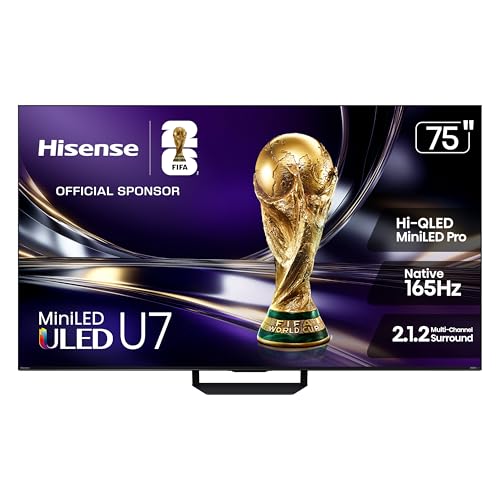
Hisense 75U7SG
Hisense Gaming TV

Hisense 75U7SG

(695)
$998.99
High refresh Smart OS Local dimming
Hisense 55E7SF
Hisense Gaming TV

Hisense 55E7SF

(46)
$428.99
High refresh QLED Local dimming
Hisense 65U7SF
Hisense Gaming TV

Hisense 65U7SF

(20)
$848.99
QLED High refresh Local dimming
Samsung S90F 65-inch
Samsung Gaming TV

Samsung S90F 65-inch

(457)
$1,197.99
OLED High refresh
Hisense 65S7SG CanvasTV
Hisense Gaming TV

Hisense 65S7SG CanvasTV

(32)
$848.99
QLED High refresh Smart OS
Sony BRAVIA 9 75-inch
Sony Premium OLED/QLED

Sony BRAVIA 9 75-inch

(187)
$2,498.00
QLED High refresh Smart OS
Hisense 75E6QF
Hisense Mid-range Lifestyle

Hisense 75E6QF

(2267)
$478.99
QLED Smart OS
Hisense 43E6QF
Hisense Budget Entry

Hisense 43E6QF

(2280)
$198.99
QLED Smart OS
INSIGNIA
INSIGNIA Budget Entry

INSIGNIA

(9741)
$359.99
Smart OS
INSIGNIA F50 Series
INSIGNIA Budget Entry

INSIGNIA F50 Series

(9799)
$139.99
Smart OS

Best brands for televisions

We compare 15 published televisions models across catalog depth, editorial score, user average on a 0-100 scale, average price and the axes where each maker stands out.

Models compared 15 models (5 brands)
Best user score Samsung (80/100)
Best editorial score TCL (82/100)
Lowest average price TOSHIBA ($130)

Hisense

7 models
Picture quality 91/100
Gaming readiness 78/100
Smart features and sound 78/100
80/100 Average score
73/100 Average users
Average price $701

5,395 reviews

View Hisense catalog

TCL

2 models Best score Best for Gaming readiness Best for Picture quality Best for Smart features
Picture quality 95/100
Gaming readiness 86/100
Smart features and sound 80/100
82/100 Average score
74/100 Average users
Average price $700

731 reviews

View TCL catalog

Samsung

1 model Best user rating Best for Design
Picture quality 94/100
Gaming readiness 86/100
Design and connectivity 76/100
81/100 Average score
80/100 Average users
Average price $1,198

457 reviews

View Samsung catalog

Sony

1 model
Picture quality 95/100
Smart features and sound 78/100
Gaming readiness 72/100
79/100 Average score
75/100 Average users
Average price $2,498

187 reviews

View Sony catalog

TOSHIBA

1 model Lowest price
Smart features and sound 78/100
Design and connectivity 76/100
Picture quality 70/100
73/100 Average score
80/100 Average users
Average price $130

3,813 reviews

View TOSHIBA catalog

Quick read

TCL leads editorial average (82/100); Samsung stands out with users (80/100); TOSHIBA has the lowest average price ($130).

Compare the best Televisions

Quick comparisons

Select 2 products to see the comparison in this section.

Best Gaming TV

This section separates Gaming TV within Televisions. TVs optimized with HDMI 2.1, 120Hz+ refresh rates, and low latency for next-gen console gaming. The selection is hydrated from published reviews, current price context and editorial scoring.

  • Real fit Prioritize models classified for Gaming TV, then compare price, availability and editorial score.
  • Dynamic selection The block is hydrated from the current decision pack rather than a static list.

Best Budget Entry

This section separates Budget Entry within Televisions. Affordable displays prioritising screen area and basic smart TV features at a lower price point. The selection is hydrated from published reviews, current price context and editorial scoring.

  • Real fit Prioritize models classified for Budget Entry, then compare price, availability and editorial score.
  • Dynamic selection The block is hydrated from the current decision pack rather than a static list.

Best deals right now

What to look for when choosing a television

Televisions split first by use case: dark-room movie watching, console gaming, bright living rooms, or simple everyday streaming. The right choice usually comes down to panel type, brightness, gaming features, and how usable the smart TV system feels day to day.

Use case Prioritize Avoid paying more for
Home cinema buyer Deep blacks, strong HDR, wide contrast Extra gaming ports
Console gamer 120Hz+, HDMI 2.1, low input lag Premium cinema tuning
Bright family room High brightness, good viewing angles, fast smart OS OLED-level black depth
Budget living room Large screen, solid 60Hz panel, simple apps Advanced gaming features
Sports and live TV Brightness, motion handling, wide seating angles Expensive HDR claims
Casual streaming Easy setup, app support, responsive menus Top-tier panel tech

Home cinema buyer

Prioritize Deep blacks, strong HDR, wide contrast
Avoid paying more for Extra gaming ports

Console gamer

Prioritize 120Hz+, HDMI 2.1, low input lag
Avoid paying more for Premium cinema tuning

Bright family room

Prioritize High brightness, good viewing angles, fast smart OS
Avoid paying more for OLED-level black depth

Budget living room

Prioritize Large screen, solid 60Hz panel, simple apps
Avoid paying more for Advanced gaming features

Sports and live TV

Prioritize Brightness, motion handling, wide seating angles
Avoid paying more for Expensive HDR claims

Casual streaming

Prioritize Easy setup, app support, responsive menus
Avoid paying more for Top-tier panel tech
Decision Matrix

What really matters when choosing a TV

Panel type

High

This matters most because OLED, QLED, and LED behave very differently in contrast, brightness, and room fit.

Contrast and blacks

High

This is critical for movie watching in dark rooms, where black level control shapes the whole picture.

Peak brightness

High

This matters most in bright rooms and for HDR impact, especially if sunlight or lamps hit the screen.

Refresh rate

High · Gaming

This matters mainly for console gaming, where 120Hz or 144Hz makes motion smoother and more responsive.

HDMI 2.1

High · Gaming

This matters when you need next-gen console features like high-bandwidth video, VRR, and low-lag play.

Smart OS

Media/High

This matters if the TV is your main streaming hub and you want fast app launching and simple navigation.

Viewing angles

Media/High

This matters in wide living rooms where people sit off-center and still need a consistent picture.

Built-in sound

Medium

This matters if you will not use a soundbar and want usable everyday audio without extra gear.

Common Mistakes

Errors to avoid when buying a TV

Buying on HDR labels alone

A TV can advertise HDR support but still lack the brightness or contrast to make HDR look convincing.

Assuming all 60Hz TVs game well

Without a real 120Hz panel and low input lag, fast games can feel sluggish and less responsive.

Ignoring viewing angles

Some screens look fine head-on but wash out badly in family rooms with side seating.

Paying premium prices for slow smart software

A bloated interface can make daily use frustrating even if the picture quality is decent.

Choosing OLED for a very bright room

OLED excels in dark-room contrast, but a bright living room can reduce its advantage if peak brightness is limited.

Overlooking HDMI port limits

Too few or outdated ports can block a soundbar, game console, or streaming box setup later.

How we judge Televisions

We assess each model by real buyer fit, confirmed specs, current price, availability and visible customer feedback. The recommendation depends on whether panel quality, gaming features and smart platform make sense for the way the product will actually be used.

What we review in this category

For TVs we review documented evidence around panel quality, HDR and motion, gaming features, smart platform, sound, connectivity, price, and user feedback when useful.

Picture quality

Weight 38%. The core of any TV is its panel performance, where contrast ratios, black levels, peak brightness, and HDR rendering determine the overall viewing enjoyment.

See technical evidence we review

Technical measures

  • Panel type, resolution, native refresh rate, brightness/HDR claims, local dimming, Mini LED, OLED/QLED, and image-processing platform.
  • HDR formats, contrast technology, viewing angle, and room-brightness fit when documented.

Reading context

  • Picture quality is read by use: cinema, bright living room, sports, streaming, or premium OLED/QLED route.
  • Panel technology and local dimming matter more than generic 4K wording.

Common cautions

  • 4K alone is basic evidence, not premium picture quality.
  • HDR claims without brightness, panel, or dimming context are treated carefully.

Gaming readiness

Weight 22%. Modern console gaming requires low input lag, VRR, ALLM, and high refresh rates to deliver smooth, tear-free gameplay without delays.

See technical evidence we review

Technical measures

  • Native 120/144 Hz, HDMI 2.1 bandwidth, VRR, ALLM, input-lag evidence, Game Mode, and console/PC compatibility.
  • Number of usable high-bandwidth HDMI ports when documented.

Reading context

  • Gaming readiness is read as a package, not just refresh rate.
  • A strong gaming TV should pair high refresh with HDMI 2.1 and VRR/ALLM-style evidence.

Common cautions

  • High refresh alone does not justify a top gaming reading.
  • 60 Hz panels or unclear HDMI details limit gaming claims.

Smart features and sound

Weight 20%. A TV serves as the entertainment hub, so the speed of its OS, app availability, and built-in speakers define how convenient it is to use daily.

See technical evidence we review

Technical measures

  • Smart OS, app ecosystem, processor/interface clues, audio power, speaker layout, eARC, Dolby Atmos/DTS, and voice control.
  • Streaming platform maturity and soundbar integration when stated.

Reading context

  • Smart features are read for daily use: apps, updates, responsiveness, voice, casting, and audio setup.
  • Built-in sound is interpreted against screen size and likely room use.

Common cautions

  • Generic smart TV wording is weak without platform evidence.
  • Atmos/eARC labels need port or audio-format context to carry weight.

Design and connectivity

Weight 20%. Mounting, viewing angles, bezel thickness, and port accessibility affect how the TV integrates into a room and connects to external devices.

See technical evidence we review

Technical measures

  • Screen size, stand/wall-mount format, HDMI/USB count, tuner/connectivity, Wi-Fi/Bluetooth, depth, weight, and cable-management clues.
  • Room fit, viewing distance, and installation constraints.

Reading context

  • Design and connectivity decide whether the TV fits the furniture, wall, console, soundbar, and room size.
  • A large TV can be strong value while still needing setup caution.

Common cautions

  • Port counts without HDMI version are incomplete evidence.
  • Very large sizes require stand, weight, and room-fit context.

Editorial judgement still leaves room for incomplete documentation, weak claims, or practical friction that a spec table does not fully capture.

What changes the recommendation

A product can move down the list when strong headline specs are offset by weak setup, unclear maintenance, subscription friction, poor portability or accessory-only evidence. We do not treat spare parts, mounts, filters or unclear variants as complete products.

How to use this page

Start with the use case that matches your situation, then compare the specs and trade-offs that affect ownership. Prices, availability and new reviews can change the shortlist as better evidence appears.

Television FAQs

What type of TV is best for a dark room?

For dark-room movie watching, OLED is usually the strongest choice because it delivers the deepest blacks and the best contrast. High-end QLED or Mini-LED TVs can also work well if they have strong local dimming and high HDR brightness, but weak dimming will reduce cinematic impact.

Is a 120Hz TV worth it for gaming?

Yes, if you play on a modern console or gaming PC and want smoother motion with lower perceived lag. A true 120Hz or 144Hz panel is most useful when the TV also supports HDMI 2.1, VRR, and ALLM; without those, the gaming benefit is much smaller.

Do I need HDMI 2.1 on a TV?

You need HDMI 2.1 mainly for next-gen gaming features such as 4K at higher refresh rates, VRR, and lower latency modes. If you only stream video or watch cable and sports, HDMI 2.1 is helpful but not essential.

Which panel type is best for a bright living room?

QLED and other bright LED-based TVs are often better for daytime viewing because they usually handle reflections and peak brightness more effectively than OLED. If the room gets a lot of sunlight, prioritize brightness and viewing angles over perfect black levels.

What should I check in a TV's smart platform?

Look for a fast, stable smart OS with the major streaming apps you actually use and responsive navigation. A slow or cluttered interface can make even a good TV frustrating in daily use, especially if app launching and input switching lag.

When should I skip a budget TV?

Skip a budget model if you want strong HDR, wide viewing angles, or serious gaming performance. Many affordable TVs are fine for casual viewing, but a basic 60Hz panel with limited brightness and weak sound will not match premium movie or gaming expectations.