Battery
8000 mAh
Battery
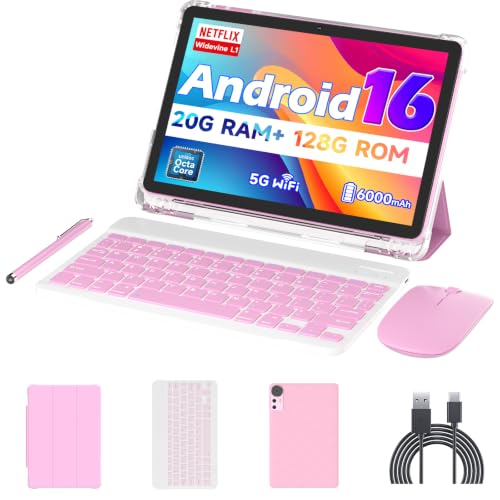
If you want a budget Android tablet that arrives as a ready-to-use typing setup, the Suicoey P30 makes sense for schoolwork, streaming, and light office tasks. The appeal is not just the 10-inch screen and included keyboard bundle, but the way it turns a low-cost tablet into a small desk station right away. The trade-off is that this is still a value-first device, so speed, battery consistency, and speaker quality matter more than the headline bundle.
Buy it if your priority is a cheap all-in-one tablet package for browsing, media, messages, and simple productivity, especially when the keyboard, mouse, and stylus are part of the value. Skip it if you need a primary tablet that feels consistently fast, runs heavy games well, or stays away from the charger for long stretches. The fit here is practical convenience first, not premium polish.
| Screen size | 10 inches |
|---|---|
| Resolution | 1280x800 pixels |
| Storage | 256 GB |
| Battery | 8000mAh |
| Connectivity | 5G WiFi and Bluetooth 5.0 |
| Operating System | Android 16 |
The P30 ships with a keyboard, mouse, stylus, and protective case, so the first practical win is setup simplicity.
You can move from tablet mode to a basic typing station without buying extras, which is exactly where the value story gets strongest. The catch is that this is convenience hardware, not a premium input system, so the bundle helps most when you want quick utility instead of refined laptop-like feel.
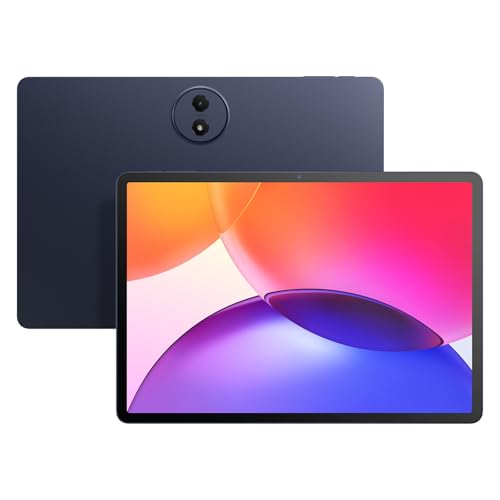
The 10-inch, 1280x800 display gives the tablet a familiar media-first footprint that works well for browsing, streaming, and light reading.
It is large enough to feel useful on a couch or in a backpack, yet small enough to stay easy to carry around the house. The trade-off is sharpness, not size: text and video are usable and bright enough for casual use, but buyers chasing a more refined panel will feel the budget tier.
With 256GB built in and support for up to 2TB of expansion, the P30 has real room for apps, downloads, and family media.
That matters because storage pressure is one of the fastest ways a budget tablet gets annoying, and this setup reduces that problem for shared use or offline entertainment. The practical limit is performance discipline, though: space is generous, but heavy multitasking still depends on how much you ask the tablet to juggle at once.
Android 16, Google Play, 5G WiFi, Bluetooth 5.0, GPS, and Widevine L1 make the P30 easy to place in a normal home setup.
It covers the everyday needs that matter most for streaming apps, wireless accessories, and map use, which keeps the tablet flexible for family or student duty. The caveat is that these are baseline strengths, not premium ones, so the product wins on breadth of use rather than standout speed or audio polish.
On a kitchen table or dorm desk, the P30 makes its case fastest when the keyboard and mouse are already in the box and the tablet is ready to become a small work surface. That matters because the bundle removes the usual accessory chase, and the 10-inch, 1280x800 screen gives enough room for email, notes, and a browser without feeling cramped. The downside is that this is a compact work setup, not a laptop substitute, so long writing sessions will still feel like tablet work with extras attached rather than a true notebook replacement.
For streaming, reading, and casual app hopping, the screen format lands in the comfortable middle of the tablet market. At 10 inches and 1280x800, the display works out to about 151 pixels per inch, which is fine for everyday viewing but not the sharpest panel for close reading or detail-heavy media. That makes it a sensible couch or travel tablet for kids, videos, and web use, while buyers who care a lot about crisp text or richer image detail will notice the ceiling quickly.
Battery is the other big decision point. The 8000mAh pack and the positive battery theme in the reviews line up with a tablet that can cover a normal day of mixed use, but the mixed performance feedback keeps it from being a carefree all-day companion for everyone. The most important practical rule is simple: if you want a low-cost tablet that can live near a charger and still feel useful between top-ups, this fits; if you need something that disappears into a bag and stays forgotten until night, the risk is higher.
The software and wireless side are straightforward in a good way. Android 16, Google Play access, 5G WiFi, Bluetooth 5.0, GPS, and Widevine L1 give it the normal modern tablet basics for apps, streaming, pairing, and navigation. That combination helps the P30 feel current enough for household sharing and casual productivity, but the mixed speed reports mean the experience is best when the workload stays light to moderate rather than crowded with heavy multitasking or demanding games.
Community
The pattern is consistent enough to be useful: people are most satisfied when they treat this as a value bundle for media, school, and light work, and most disappointed when they expect premium speed or long unplugged endurance. The practical lesson is that the included accessories and low price carry a lot of the appeal, but the tablet works best when the workload stays modest.
This Android tablet bundle is a brilliant example of getting maximum value for my money.
| Attribute | Suicoey P30 Current | VisuPad P60 | Nyxolaria CP31M | Bnegynng CP31M |
|---|---|---|---|---|
| Price | $99.99 | $129.99 | $72.99 | $72.99 |
| Screen Size | 10 inches | 10 inches | 10.1 Inches | 10 inches |
| Resolution | 1280x800 pixels | 1280x800 pixels | 1280X800 Pixels | 1280 x 800 pixels |
| Storage | 256 GB | 256 GB | 128 GB | 128 GB |
| Battery | 8000mAh | 8000mAh | 6000mAh | 6000 mAh |
| Operating System | Android 16 | Android 16 | - | Android 16 |
| Editorial score | 64/100 | 63/100 | 64/100 | 60/100 |
Against a more bare-bones budget slate like the aiprotablet A30 Pad, the Suicoey P30 makes more sense if you want the accessory bundle to matter on day one. The A30 Pad’s 24GB virtual RAM and 64GB storage lean toward a simpler core tablet, while the P30’s keyboard, mouse, stylus, and 256GB storage make it the better route for someone who wants a ready-made study or family station instead of a stripped-down media tablet.
Compared with the VisuPad P60, the P30 sits in a very similar 10-inch, 1280x800, 26GB-class value lane, so the decision comes down to the bundle and the price you catch. If you care most about getting a complete setup for light productivity, the Suicoey package is easier to justify; if you are shopping mainly on raw tablet specs and a close equivalent configuration, the P60 is the cleaner apples-to-apples alternative. The URAO X109 is the route to consider only if you want a different value-tablet balance and are comparing 10.1-inch, 30GB-class options, but the P30’s accessory set keeps it especially practical for first-time buyers.
Compare with
Add a second model to activate the direct comparison.
No products match that filter combination.
The Suicoey P30 is easiest to recommend as a low-cost tablet bundle for students, families, and casual users who want a keyboard-ready setup without spending much. The included accessories, 256GB storage, Android 16, and 5G WiFi make it a practical buy for browsing, streaming, messaging, and simple office work, and that is where the value story is strongest. Check the current offer if that bundle-first route is what you want, because the appeal here is the complete package more than any single premium spec.
Skip it if you need a tablet that feels fast under pressure, stays unplugged for long stretches, or doubles as a serious gaming device. The mixed performance feedback, battery complaints, and modest 1280x800 display are the real limits, and they matter most for buyers who expect a primary device rather than a convenient secondary one. For that kind of buyer, a clearer and faster tablet route is the better spend.
It sits between the two, but the keyboard, mouse, and stylus push it toward light productivity and school use more than pure media.
Yes, 256GB built in plus expansion support gives it far more breathing room than many budget tablets, which helps for family media and offline files.
Review published on