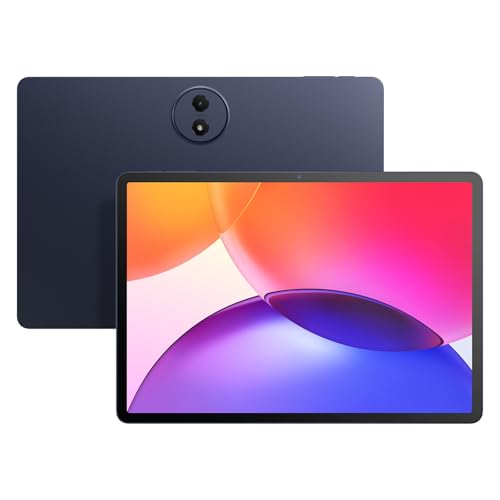
Screen size
13 in
Screen size
If you want a large iPad that can pull double duty for streaming, note-taking, and serious light work, this 13-inch iPad Pro is aimed squarely at that lane. The M4 chip, 512GB of storage, Wi‑Fi 6E, Face ID, and the Ultra Retina XDR display make it a fast, polished option for people who live in multitasking apps, creative tools, and long reading sessions. The trade-off is simple and important: this is a premium tablet, so the price only makes sense if you will actually use the screen, accessories, and performance headroom.
Buy it if you want an iPad that feels closer to a portable work surface than a casual media slate. Skip it if you mainly want a cheap couch tablet or a basic family device, because the value here comes from speed, display quality, and accessory-ready productivity rather than bargain pricing. The 13-inch format is the real draw, but it also means you are paying for size and capability together.
| Screen Size | 13 inches |
|---|---|
| Resolution | 2752-by-2064-pixel resolution at 264 ppi |
| Storage | 512 GB |
| Connectivity | Wi-Fi 6E |
| Dimensions | 11.09 x 8.48 x 0.2 inches |
The 13-inch Ultra Retina XDR display is the center of the appeal, and the 2752-by-2064 resolution keeps the large panel looking crisp for text, photos, and video.
That matters because this is the part of the tablet you live with every minute, and a screen this sharp is what makes the larger format feel worth paying for.
If your use is mostly reading, streaming, or split-screen work, the display is the strongest reason to choose this model; if you rarely use a tablet for long sessions, the premium screen is less compelling.
The M4 chip and 512GB storage give the tablet room to stay fast under heavier app use and keep plenty of local files on board.
That matters for people who move between notes, creative apps, video, and browser tabs without wanting the device to feel crowded.
The upside is obvious in daily responsiveness; the trade-off is that this level of capability is only worthwhile if you will actually use the extra headroom instead of treating it like a simple streaming tablet.
Apple Pencil Pro support, Magic Keyboard compatibility, Face ID, and Wi‑Fi 6E turn this into a credible study and light-work setup.
That matters because the iPad stops being just a screen and becomes a tool for writing, typing, signing in, and moving through work faster.
For buyers who want a tablet that can support real productivity habits, these are meaningful advantages; for buyers who will never add accessories, the premium route is harder to justify.
The 12MP front and back cameras, LiDAR Scanner, four microphones, and four-speaker audio system cover meetings, scanning, and everyday media use.
That matters because a tablet often ends up in video calls, quick photos, and family use, not just app browsing.
The setup is strong for that mixed role, but the real value comes when you care about both media quality and utility rather than one or the other alone.
On a desk, the first thing this iPad gets right is the combination of size and speed. The 13-inch panel gives you enough room for split-screen work, reading, and video without feeling cramped, and the 264 ppi density keeps text and UI elements sharp at normal viewing distance. That matters because a big tablet only earns its keep when it stays comfortable for long sessions, and this one clearly aims at that use case rather than a small, casual handheld slate.
For study or office-style use, the M4 chip and 512GB storage push it into a different lane from ordinary tablets. App switching, document work, and creative apps have the headroom people expect from a premium model, while the storage size gives you room for large files, downloads, and a serious app library. The downside is that this is still a tablet first, not a laptop replacement by default, so the value depends on whether you plan to use the iPadOS workflow and accessories that fit it.
Away from the desk, the weight and battery story matter just as much. At a price band around 5 GBP, it stays portable enough for a bag or commute, and the all-day battery claim lines up with the kind of long reading, streaming, and meeting use this class is built for. The practical catch is that the bigger screen is exactly what makes it so pleasant, so buyers who want the lightest possible handheld device will feel the size before they feel the power.
Community
The pattern here is straightforward: people who want speed, a great screen, and smooth accessory use tend to be very happy, while the main hesitation is price. The useful lesson is that this iPad wins when it is used as a high-end daily device, not when it is bought as a generic tablet and expected to justify itself on cost alone.
I love the big 13-inch display, and everything feels bright, sharp, and smooth.
| Attribute | Apple iPad Pro 13 M4 512GB Space Black Current | Lenovo Idea Tab 11 | TCL TAB A1 Plus | Lenovo Idea Tab |
|---|---|---|---|---|
| Price | $1,499.00 | $259.00 | $249.99 | $199.00 |
| Screen Size | 13 inches | 11 Inches | 12.2 inches | 11 Inches |
| Resolution | 2752-by-2064-pixel resolution at 264 ppi | 2560 x 1600 | 2400 x 1600 pixels | 2560 x 1600 |
| Storage | 512 GB | 256 GB | 128GB | - |
| Editorial score | 83/100 | 83/100 | 77/100 | 82/100 |
Against an iPad Air, this Pro makes sense when display quality, performance headroom, and accessory-driven productivity matter more than saving money. The Air is the easier pick for buyers who mainly browse, stream, and read, while this model is the better route for people who want a more capable work-and-creative tablet with a stronger screen and more premium feel.
Compared with a Samsung Galaxy Tab S9 Ultra or a Microsoft Surface-style tablet, the Apple route is cleaner if you already want iPadOS, Face ID, Pencil Pro support, and a tablet-first app experience. Those alternatives make more sense if you want a different software ecosystem or a more laptop-like desktop workflow, but this iPad is the stronger choice when the goal is a polished large-screen tablet rather than a compromise device trying to do everything.
Compare with
Add a second model to activate the direct comparison.
No products match that filter combination.
This is the iPad Pro to buy if you want a premium large-screen tablet that can handle reading, streaming, meetings, note-taking, and heavier app use without feeling stretched. The display, M4 performance, 512GB storage, Wi‑Fi 6E, and accessory support make the price easier to justify for buyers who will use it as a serious daily device.
Skip it if your tablet life is mostly casual and price-sensitive, because the premium only pays off when the screen size, speed, and productivity features are part of your routine. For that buyer, an iPad Air or a simpler tablet makes more sense; for everyone else who wants the best large iPad route, this one is the clear pick.
It leans productivity first, with strong media use as a bonus; the large screen, Pencil Pro support, Magic Keyboard compatibility, and M4 chip are the clues.
Yes, at a price band around 5 GBP it stays portable for a 13-inch tablet, but the larger screen still makes it better for bag carry and desk use than constant one-hand use.