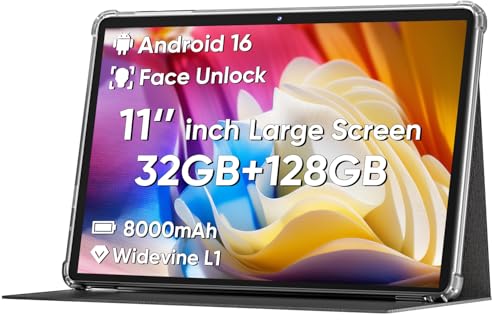
Price
$50-$100
Price
If you want a low-cost 10-inch Android tablet for streaming, light browsing, and kid-friendly home use, the COOPERS CP10 is relevant because it pairs Android 15, a 1280 x 800 IPS screen, and expandable storage with a very aggressive price point. The real tension is that the hardware is built for simple everyday tasks, not demanding multitasking, so the fit depends on whether you want a casual media slate or a more serious work tablet.
I would put this in the buy zone for families, casual readers, and anyone who wants a big screen for YouTube, Disney, or basic app use without spending much. Skip it if you expect fast app installs, heavy multitasking, or a tablet that feels clearly premium, because the 32 GB base storage and quad-core platform keep it in the budget lane even before you factor in the mixed reliability signals.
| Screen size | 10 inches |
|---|---|
| Resolution | 1280 x 800 pixels |
| Storage | 32 GB |
| Battery | 6000mAh |
| Panel type | IPS |
| Operating system | Android 15 |
The 10-inch IPS display and 1280 x 800 resolution are the core of the CP10’s appeal. It gives you enough surface area for video, reading, and shared viewing without forcing you into a tiny phone-like layout.
That matters because this is the part of the tablet you notice every minute it is on. The screen is large enough for a living-room or kids’ room setup, and the IPS panel keeps viewing angles usable when the tablet is tilted or mounted. The limit is that this is a value display, so the experience is about practical comfort, not sharp premium detail.
Android 15, Google Play, and GMS support make the tablet easy to place in a normal app routine. Social apps, streaming, reading, and basic messaging are the natural lane here.
The buying value is that you are not locked into a stripped-down system. That said, the software side only helps if the hardware keeps up, and the quad-core platform is the reason this model stays in the casual-use lane instead of becoming a true productivity tablet.
The CP10 starts with 32 GB of internal storage and supports expansion up to 1TB. That is the difference between a tablet that feels empty after setup and one that can carry downloaded video, photos, and a few extra apps.
This is especially important because the base storage is the main pressure point in the package. If you keep usage light, the tablet is easy to live with; if you want to install a lot and forget about it, the storage ceiling becomes the first real constraint.
On a couch, wall mount, or kitchen counter, this tablet makes the most sense as a simple media screen rather than a mini laptop. The 10-inch 1280 x 800 IPS panel gives you a comfortable large-format view for video and reading, and the 16:10-style layout keeps casual browsing easy enough. The trade-off is that this is still a low-resolution 10-inch panel, so text and UI elements are more about clarity at arm’s length than crisp detail up close.
For family use, the practical question is whether it stays out of the way once it is set up. The confirmed Android 15 platform, Google Play access, and Bluetooth/Wi‑Fi support make the daily routine straightforward for streaming apps, messaging, and basic downloads, while the 6000mAh battery and 8-10 hour mixed-use claim fit a day of intermittent use better than a desk-bound charger life. That said, the 32 GB base storage is tight for a tablet sold around app use, so the 1TB expansion path matters if you plan to keep media, downloads, or a few games on it.
The performance story is where the buying decision tightens. A quad-core chip with 8 GB of RAM on paper gives enough headroom for light app switching, and one buyer even described it as fine after a brief lockup during app installation, but another called out slowdowns and trouble with app downloads. That puts the CP10 in the “good for basics, not for impatience” category: it works best when the job is watching, reading, and checking a few apps, and it loses appeal fast if you want a tablet that opens everything instantly and never hesitates.
Community
The pattern is clear enough for a budget tablet like this: people are happiest when they use it as a simple media screen or light household device, and frustration shows up when they push it toward heavier app use or expect polished speed. The practical lesson is that the CP10 rewards simple routines and a low price more than it rewards ambition.
Great large screen tablet for my kids’ playroom and it has stayed charged, light, and scratch-free.
We had a couple lockups while installing an app, but after restarting it has been doing what we needed.
| Attribute | COOPERS CP10 Current | COLORROOM C5 |
|---|---|---|
| Price | $54.99 | $93.99 |
| Screen size | 10 inches | 11 inches |
| Resolution | 1280 x 800 pixels | 1280 x 800 pixels |
| Storage | 32 GB | 128 GB |
| Battery | 6000mAh | 8000mAh |
| Editorial score | 52/100 | 62/100 |
Against the NOVOJOY ZB10, the COOPERS CP10 is the more obvious pick if you want Android 15 and a simple family-media route, while the NOVOJOY’s 8 GB RAM and 32 GB storage make it feel closer to a spec-match on paper. Choose the COOPERS if the newer software and broad app familiarity matter more than chasing a slightly more balanced memory story.
Compared with the Amazon Fire 7 Kids, the COOPERS gives you a larger 10-inch screen and a more open Android app environment, which makes it better for shared home viewing and general casual use. The Fire 7 Kids still makes more sense if you want a smaller, more kid-specific device and do not need the bigger display area that makes the CP10 easier to watch from across a room.
Compare with
Add a second model to activate the direct comparison.
No products match that filter combination.
The COOPERS CP10 makes the most sense as a budget 10-inch Android tablet for media, family sharing, and light everyday use. If you want a large screen, familiar app access, and expandable storage at a low entry price, it lands in a useful value lane, and the current offer is worth watching if that is your exact route. If you need fast multitasking, more storage headroom out of the box, or a tablet that feels clearly more refined, this is not the cleanest choice. The weak point is the base storage and modest quad-core class performance, and that matters most for buyers who plan to load the tablet up with apps or use it like a small work device.
Yes. The 10-inch screen, Android 15, and simple app support fit streaming, reading, and casual browsing much better than demanding productivity.
It can. The 32 GB base storage is fine for light use, but the 1TB expansion support matters if you plan to keep lots of apps or offline media.
Review published on