27 models analyzed

Best Tablets 2026

Reviews and comparisons for Tablets, focused on screen and format, daily fluidity so you can choose by use case and budget.

Best value

Top 5 best value tablets (July 2026)

Compare value tablets with updated prices, editorial scores, technical data, and buyer satisfaction before choosing.

Lenovo Idea Tab

Current winner

Lenovo Idea Tab 86.9/100 $199.00 Top for Screen and format Strong for Productivity and shared use Stylus support
Ranking podium
  1. Lenovo Idea Tab 86.9/100
  2. HUIHUANG C90 82.4/100
Full table, criteria, and recommended alternatives Open the full ranking

Recommendations by use case

These shortcuts come from the category's active use cases and stay in sync with each cohort analysis block.

Category data snapshot

Practical snapshot of Tablets: current prices, documented specs, and the axes where reviewed products differ most.

Typical current price

$109.98 reference price
range $55.99 - $1,499.00

Typical range in Productivity tablet

$73.99 - $249.99 middle range
33% of catalog

Screen size with strongest coverage

10.1 in typical value
appears in 100%

Best products by category

What to check before choosing

  • Screen and format Tablet comfort starts with screen format, because reading, browsing, streaming, and split-screen use live or die by size, aspect ratio, and overall hand feel.
  • Daily fluidity A tablet should feel smooth across app switching, reading, and casual multitasking, otherwise the value story collapses quickly outside passive streaming.
  • Battery and charging A tablet is often used for long sessions away from a desk, so endurance, charging pace, and weight need to make sense together.
  • Productivity and shared use Stylus, keyboard, speakers, storage, family controls, and app ecosystem decide whether the tablet fits study, household sharing, or light work instead of being only a passive media screen.

Browse and filter Tablets

Search by text, sort products, and surface the key features that matter most to you.

27 reviews analysed 27 with price
Price: Any
Brands: Any

None

27 products

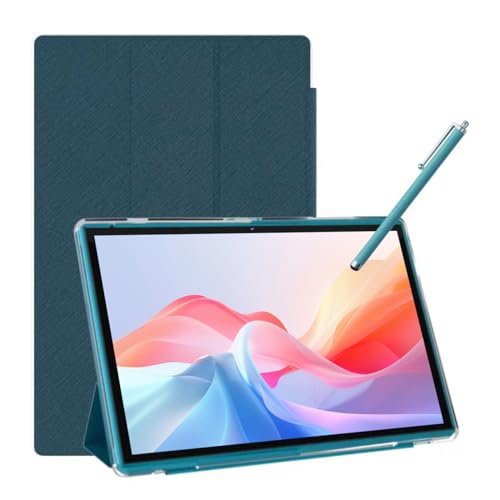
Lenovo Idea Tab
Lenovo Productivity tablet

Lenovo Idea Tab

(346)
$199.00
Stylus support High refresh Quad speakers
Amazon Fire HD 8 Kids Pro
Amazon Kids and family tablet

Amazon Fire HD 8 Kids Pro

(5257)
$179.99
Expandable storage
Apple iPad Pro 13 M4 512GB Space Black
Apple Productivity tablet

Apple iPad Pro 13 M4 512GB Space Black

(1420)
$1,499.00
Stylus support Keyboard support High refresh
Lenovo Idea Tab 11
Lenovo Productivity tablet

Lenovo Idea Tab 11

(520)
$259.00
Stylus support High refresh
Amazon Fire HD 10 Kids
Amazon Kids and family tablet

Amazon Fire HD 10 Kids

(7935)
$189.99
Expandable storage
Gleeso KB10
Gleeso General media tablet

Gleeso KB10

(28)
$79.99
Expandable storage
NOBKLEN J12A
NOBKLEN General media tablet

NOBKLEN J12A

(122)
$149.99
LTE or 5G Quad speakers
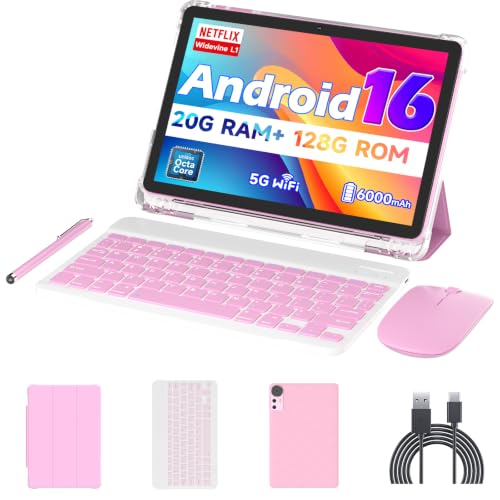
HUIHUANG C90
HUIHUANG

HUIHUANG C90

(32)
$113.00
High refresh Expandable storage Keyboard support
Nyxolaria CP31M
Nyxolaria Productivity tablet

Nyxolaria CP31M

(232)
$73.99
Stylus support Keyboard support
Amazon Fire 7 Kids
Amazon Kids and family tablet

Amazon Fire 7 Kids

(33892)
$109.99
Expandable storage
URAO X109
URAO General media tablet

URAO X109

(127)
$89.98
Expandable storage
aiprotablet A30 Pad
aiprotablet General media tablet

aiprotablet A30 Pad

(60)
$99.99
Expandable storage

Best brands for tablets

We compare 27 published tablets models across catalog depth, editorial score, user average on a 0-100 scale, average price and the axes where each maker stands out.

Models compared 27 models (3 brands)
Best user score Apple (92/100)
Best editorial score Apple (83/100)
Lowest average price Amazon ($160)

Lenovo

3 models Best for Battery Best for Screen
Screen and format 82/100
Productivity and shared use 79/100
Daily fluidity 72/100
78/100 Average score
81/100 Average users
Average price $198

1,440 reviews

View Lenovo catalog

Amazon

3 models Lowest price
Productivity and shared use 71/100
Battery and charging 70/100
Screen and format 65/100
71/100 Average score
87/100 Average users
Average price $160

47,084 reviews

View Amazon catalog

Apple

1 model Best score Best user rating Best for Daily fluidity Best for Productivity
Productivity and shared use 93/100
Daily fluidity 88/100
Screen and format 73/100
83/100 Average score
92/100 Average users
Average price $1,499

1,420 reviews

View Apple catalog

Quick read

Apple leads editorial average (83/100); Apple stands out with users (92/100); Amazon has the lowest average price ($160).

Best picks by budget

Compare the best Tablets

Quick comparisons

Select 2 products to see the comparison in this section.

Best General media tablet

This section separates General media tablet within Tablets. Tablets mainly bought for browsing, streaming, reading, and casual app use. The selection is hydrated from published reviews, current price context and editorial scoring.

  • Real fit Prioritize models classified for General media tablet, then compare price, availability and editorial score.
  • Dynamic selection The block is hydrated from the current decision pack rather than a static list.

Best Productivity tablet

This section separates Productivity tablet within Tablets. Tablets where note-taking, accessories, multitasking, or study use drive the purchase route. The selection is hydrated from published reviews, current price context and editorial scoring.

  • Real fit Prioritize models classified for Productivity tablet, then compare price, availability and editorial score.
  • Dynamic selection The block is hydrated from the current decision pack rather than a static list.

Best Kids and family tablet

This section separates Kids and family tablet within Tablets. Tablets where shared home use, family controls, or kid-oriented simplicity define the route. The selection is hydrated from published reviews, current price context and editorial scoring.

  • Real fit Prioritize models classified for Kids and family tablet, then compare price, availability and editorial score.
  • Dynamic selection The block is hydrated from the current decision pack rather than a static list.

Best Large-screen value tablet

This section separates Large-screen value tablet within Tablets. Bigger, lower-cost tablets mainly judged on affordable screen area and casual home use. The selection is hydrated from published reviews, current price context and editorial scoring.

  • Real fit Prioritize models classified for Large-screen value tablet, then compare price, availability and editorial score.
  • Dynamic selection The block is hydrated from the current decision pack rather than a static list.

Best deals right now

What to look for when choosing a tablet

Tablets split by use more than by raw specs. The right choice depends on whether you mainly stream and read, take notes, share the device at home, or want a bigger screen for light productivity without pretending it replaces a laptop.

Use case Prioritize Avoid paying more for
Media and reading Comfortable screen, light weight, strong battery Keyboard extras you will not use
Study and notes Stylus support, keyboard support, smooth multitasking Weak storage or memory
Family sharing Family controls, durability, storage headroom Thin build with no control features
Big-screen home use Large display, decent speakers, easy couch use Heavy tablets with poor portability
Light productivity App support, RAM balance, accessory support Laptop-replacement claims without proof

Media and reading

Prioritize Comfortable screen, light weight, strong battery
Avoid paying more for Keyboard extras you will not use

Study and notes

Prioritize Stylus support, keyboard support, smooth multitasking
Avoid paying more for Weak storage or memory

Family sharing

Prioritize Family controls, durability, storage headroom
Avoid paying more for Thin build with no control features

Big-screen home use

Prioritize Large display, decent speakers, easy couch use
Avoid paying more for Heavy tablets with poor portability

Light productivity

Prioritize App support, RAM balance, accessory support
Avoid paying more for Laptop-replacement claims without proof
Decision Matrix

What really matters when choosing a tablet

Screen format

High

This matters most for reading, streaming, split-screen use, and how comfortable the tablet feels in hand or on a sofa.

Weight

High

Weight becomes a dealbreaker on large tablets and for anyone who plans to hold the device for long sessions.

Battery

High

Battery matters when the tablet is used away from a desk for video, browsing, classes, or family use.

Software support

Medium/High

This matters when you want the tablet to stay smooth, secure, and useful over time rather than feeling dated quickly.

RAM and storage

Medium/High

These matter most if you multitask, keep many apps installed, or expect study and shared-use behavior.

Stylus support

Medium/High

This matters only if handwriting, sketching, or note-taking is a real buying reason, not a nice-to-have.

Keyboard support

Medium

This matters when you plan to type often, but it should not be treated as proof of laptop-level productivity.

Family controls

Medium/High

This matters for kids or shared household use, where simplicity and control matter more than raw speed.

Common Mistakes

Errors to avoid when buying a tablet

Treating any stylus as productivity proof

A stylus only changes the buying decision when the tablet also has the software and multitasking support to match.

Ignoring weight on large screens

A big display can look attractive on paper but feel awkward and tiring in real handheld or sofa use.

Overpaying for keyboard claims

Keyboard support does not automatically make a tablet a laptop replacement, especially if storage and multitasking are weak.

Buying for family use without controls

Kids and shared-home tablets need clear control and durability signals, not just a low price or a large screen.

Choosing weak storage for multitasking

Low storage or memory quickly hurts study, app switching, and shared use even if the screen looks good.

How we judge Tablets

We assess each model by real buyer fit, confirmed specs, current price, availability and visible customer feedback. The recommendation depends on whether screen comfort, battery and daily speed make sense for the way the product will actually be used.

What we review in this category

For tablets we review documented evidence around screen quality, daily fluidity, battery routine, accessories, shared use, price, and user feedback when the sample is useful.

Screen and format

Weight 28%. Tablet comfort starts with screen format, because reading, browsing, streaming, and split-screen use live or die by size, aspect ratio, and overall hand feel.

See technical evidence we review

Technical measures

  • Screen size, resolution, panel type, refresh rate, brightness, aspect ratio, weight, and speakers.
  • OLED/high-refresh evidence, reading comfort, streaming format, and split-screen fit.

Reading context

  • A tablet screen is read by use: media, reading, study, family use, drawing, or light work.
  • Large screens need enough resolution and reasonable weight to stay comfortable.

Common cautions

  • Large diagonal alone is not treated as premium display quality.
  • High refresh or OLED claims require explicit evidence.

Daily fluidity

Weight 24%. A tablet should feel smooth across app switching, reading, and casual multitasking, otherwise the value story collapses quickly outside passive streaming.

See technical evidence we review

Technical measures

  • Chipset/SoC, RAM, storage, OS version, update context, and app multitasking evidence.
  • Platform class is read alongside memory, not replaced by memory.

Reading context

  • Fluidity depends on browsing, streaming, notes, split screen, kids apps, and casual games.
  • Productivity claims require stronger platform and memory evidence than media use.

Common cautions

  • RAM or storage alone does not make a weak tablet fast.
  • Unknown platforms and vague OS support limit confidence.

Battery and charging

Weight 20%. A tablet is often used for long sessions away from a desk, so endurance, charging pace, and weight need to make sense together.

See technical evidence we review

Technical measures

  • Battery mAh/Wh, runtime claims, charging watts, charger format, weight, screen size, and connectivity.
  • Efficiency context from SoC, display resolution, and refresh rate.

Reading context

  • Battery is read as session length: sofa streaming, study day, travel, or shared family use.
  • Charging speed matters more on large batteries and productivity routes.

Common cautions

  • mAh alone is not enough for autonomy leadership.
  • Heavy tablets with slow charging need a cautious reading.

Productivity and shared use

Weight 28%. Stylus, keyboard, speakers, storage, family controls, and app ecosystem decide whether the tablet fits study, household sharing, or light work instead of being only a passive media screen.

See technical evidence we review

Technical measures

  • Stylus support, keyboard support, pen latency clues, speakers, storage, connectivity, parental controls, and account sharing.
  • Accessory inclusion is separated from accessory compatibility.

Reading context

  • Productivity means a real tablet workflow, not just a keyboard shown in a listing.
  • Family use values durability, controls, speakers, and storage headroom.

Common cautions

  • Accessory bundles do not compensate for weak platform or screen evidence.
  • Stylus or keyboard claims require explicit support and, when possible, included/accessory status.

Editorial judgement still leaves room for incomplete documentation, weak claims, or practical friction that a spec table does not fully capture.

What changes the recommendation

A product can move down the list when strong headline specs are offset by weak setup, unclear maintenance, subscription friction, poor portability or accessory-only evidence. We do not treat spare parts, mounts, filters or unclear variants as complete products.

How to use this page

Start with the use case that matches your situation, then compare the specs and trade-offs that affect ownership. Prices, availability and new reviews can change the shortlist as better evidence appears.


FAQs About Tablets

What should I prioritize when buying a tablet for everyday use?

Focus first on screen size and format, weight, battery life, and software smoothness. Those factors determine how comfortable the tablet feels for reading, streaming, browsing, and sofa use more than raw specs alone.

Is a tablet with a keyboard or stylus automatically good for productivity?

No. A keyboard or stylus only matters if the tablet also has enough RAM, responsive multitasking, and software support to handle note-taking or light work without lag. If those basics are weak, it is usually still a media-first device.

How much storage and memory does a tablet need?

For casual media use, modest storage can be fine, but study and shared-use tablets benefit from more headroom. Low RAM or storage is a red flag when the device is sold for multitasking, note-taking, or family use.

What screen features matter most for reading and streaming?

A comfortable screen size, good resolution, and a panel type that suits long viewing sessions matter most. Higher refresh rates and OLED panels can improve the experience, but they are secondary to comfort, weight, and battery balance for most buyers.

Are large tablets worth it if I want a home entertainment device?

They can be, if your priority is bigger screen area for video, browsing, or shared household use. The trade-off is that heavier large tablets are less portable, so they make more sense when comfort at home matters more than one-handed use.

What should families look for in a shared tablet?

Look for practical storage, clear family controls, and a durable design that can handle repeated use. If those signals are weak, a tablet marketed for kids or family use may be less reliable than it appears.